The 60-Second Verdict
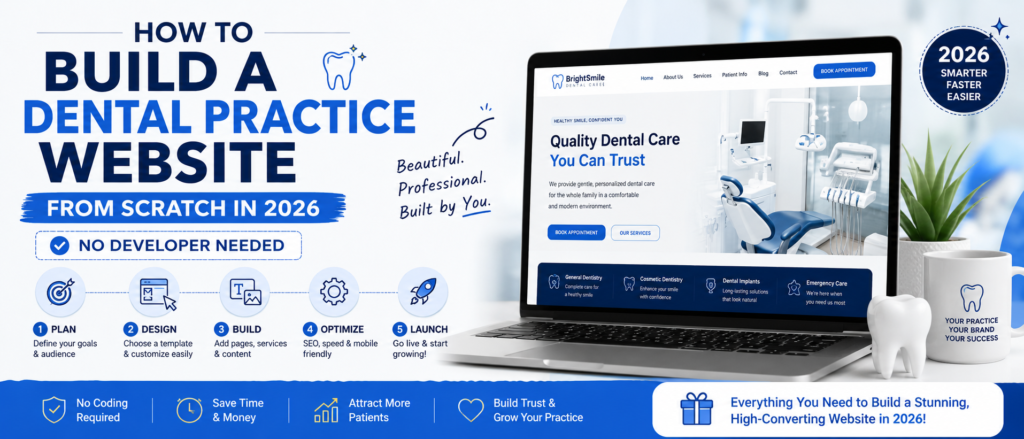
A dental practice website is your most important patient acquisition asset in 2026—and building one costs less than $10 per month. Building a professional dental practice website in 2026 costs under $10 per month and takes one afternoon. You do not need a web developer, coding knowledge, or a marketing agency. What you need is the right hosting platform, a PMS-integrated booking tool, and five specific pages that convert visitors into booked appointments.
The practices that get this wrong spend $3,000–$8,000 on agency-built websites that load slowly, cannot integrate with their PMS, and have no local SEO foundation. The practices that get it right spend $120 per year on hosting, embed NexHealth or LocalMed directly into their WordPress site, and outrank the expensive agency sites within six months.
This guide covers exactly what the second group does — step by step.
Why Your Dental Website Is Your Most Important Patient Acquisition Asset
Before covering the technical setup, every dentist and office manager reading this needs to understand what the data actually shows about how patients find and choose a practice in 2026.
<According to research published in the Journal of the American Dental Association, 89% of dental patients research online before choosing a dentist. > The days of word-of-mouth referrals being your primary growth channel are over. Your website is now the first impression for the majority of your new patients.
<Only 26% of dental practices currently offer online booking, according to NexHealth research — yet 77% of patients specifically want a provider that offers online scheduling. > This gap between what patients want and what practices offer is your competitive opportunity. A dental practice with a fast-loading website and a functional online booking integration has a structural advantage over the majority of competing practices in their area.
<According to Stanford Web Credibility Research, 46.1% of patients judge a practice’s credibility based on website design alone—before reading a single word of content. > Your website does not just need to exist. It needs to load fast, look professional on mobile, and make booking an appointment effortless.
The Five Pages Every Dental Website Must Have
Generic web design guides recommend six to ten pages for a standard business website. A dental practice website has different requirements based on how patients actually behave when searching for a new dentist.
These are the five pages that directly drive new patient bookings—every other page is optional until these five are live and optimized.
Page 1 — Homepage
Your homepage has one job: tell a new patient within three seconds that they have found the right practice and make it effortless to book. The three elements that determine whether your homepage converts or loses patients are the headline above the fold, the booking button visibility, and the page load speed on mobile.
<The best dental websites in 2026 share seven traits: mobile-first responsive layout, sub-3-second load speed, real-time PMS booking, dedicated SEO pages for each service, embedded Google reviews, HIPAA-compliant forms, and AI chat integration, according to DentalBase research published in 2026. >
Your headline should answer three questions immediately: Who are you? Where are you located? And what do you specialize in? “Family Dentist in Austin, TX — Accepting New Patients” outperforms “Welcome to Our Practice” every time.
Page 2 — Services Pages
Each core service needs its own dedicated page — not a single page listing all services. A patient searching “dental implants Austin” needs to land on a page specifically about dental implants at your practice. A patient searching “children’s dentist near me” needs a page specifically about your pediatric services.
<Patients are 37.7% more likely to click on the top organic search result, according to dental marketing research. > Individual service pages targeting specific search queries are what generate those top rankings—not a single generic services page.
Minimum service pages for a general practice: general dentistry, cosmetic dentistry, orthodontics (if offered), emergency dental, and children’s dentistry (if offered).
Page 3 — About Page With Team Bios
<81% of patients trust feedback from past patients, and the same research shows patients evaluate the dentist’s credentials and personality before booking. > Your about page needs real photos of the dentist and team—not stock images. Patients research the dentist they will be seeing before booking. A professional headshot and a brief bio covering dental school, years of experience, and areas of interest convert significantly better than no photo or a generic team description.
Page 4 — Patient Reviews Page
<96% of prospective patients check online reviews before booking a dental appointment, according to BrightLocal 2025 research. > A dedicated reviews page that embeds your Google reviews directly — using a free plugin like WP Google Reviews — gives patients the social proof they need without leaving your website.
Page 5 — Contact and Booking Page
This page needs four elements: your phone number displayed prominently, your physical address with an embedded Google Map, your opening hours, and your online booking widget. The booking widget should be your PMS-integrated tool — NexHealth, LocalMed, or your PMS’s native online booking — not a generic WordPress booking plugin.
The Dental Website Tech Stack — What Actually Works in 2026
This is the specific combination of tools that dental practices use to build fast, functional websites without developer involvement.
Hosting — SiteGround GrowBig at $4.99/month
As covered in our previous comparison, SiteGround handles concurrent booking loads during peak periods and resolves support issues in under 2 minutes. For a dental website where Monday morning traffic spikes directly affect revenue, this is the correct hosting choice for single-location practices.
Platform — WordPress
WordPress powers 43% of all websites globally. For a dental practice, the relevant advantage is the ecosystem of plugins that handle dental-specific requirements: booking integrations, review embedding, HIPAA-compliant forms, and local SEO optimization. No other platform offers the same combination of flexibility and dental-specific tool support.
Theme — Astra
Astra is the fastest WordPress theme available—it’s free, passes Core Web Vitals on a standard dental website configuration, and requires no coding to set up professionally. Install it in three minutes from the WordPress theme directory.
Booking Integration — NexHealth or LocalMed
This is the most important technical decision on a dental website. Do not use a generic WordPress booking plugin. Use a PMS-integrated tool that syncs directly with Dentrix, Eaglesoft, Open Dental, or Curve Dental.
<NexHealth integrates with over 35 practice management systems in real time. LocalMed practices see 30-40% of new patient appointments booked outside business hours, according to LocalMed platform data. > Both tools provide an embed code—a JavaScript snippet—that you paste directly into your WordPress booking page. The booking widget loads from their HIPAA-compliant servers. Your WordPress hosting never touches patient data.
NexHealth pricing: $200-$400 per month depending on practice size and features.
LocalMed pricing: $199-$399 per month per location.
For a practice not yet ready for the cost of NexHealth or LocalMed, use your PMS vendor’s native online booking feature first. Dentrix, Eaglesoft, and Curve Dental all offer basic online booking that integrates with your existing PMS at no additional cost.
HIPAA-Compliant Forms — Jotform HIPAA Tier
Standard WordPress contact forms, including WPForms, Gravity Forms, and Contact Form 7, are not HIPAA compliant. For a contact form that only collects name, phone number, and appointment request, standard forms are acceptable. For any form that collects medical history, insurance information, or treatment details—you need a HIPAA-compliant form provider that signs a business associate agreement.
Jotform’s HIPAA tier at $39/month signs a BAA and provides the encryption required for protected health information. Formstack HIPAA is an alternative at a similar price point.
Step by Step — Building Your Dental Website in One Afternoon
This is the exact sequence dental office managers have used to launch professional practice websites without developer involvement.
Step 1 — Register Your Domain
Your domain name should include your practice name and ideally your city. Examples: austinfamilydental.com, brightondentalcare.co.uk, and drsmithorthodontics.com. Register through Namecheap at approximately $10-12 per year. Avoid GoDaddy for domain registration — their renewal prices increase by 158% after the first year.
Step 2 — Set Up SiteGround Hosting
Sign up for SiteGround GrowBig at $4.99/month. During setup, select WordPress installation. The entire process from signup to WordPress login takes under 10 minutes. Connect your domain by updating nameservers in your Namecheap account to point to SiteGround’s nameservers—SiteGround’s support team completes this for you via live chat in under 5 minutes if needed.
Step 3 — Install Astra Theme
In WordPress, go to Appearance — Themes — Add New — search Astra — Install — Activate. Then go to Appearance—Astra Options and import a starter template in the medical or health category. This gives you a professional design foundation in two minutes.
Step 4 — Install Essential Plugins
Install these four plugins only—do not install unnecessary plugins, as each one adds page load time:
Rank Math SEO handles all local SEO requirements for free. LiteSpeed Cache dramatically improves page load speed on SiteGround hosting. UpdraftPlus — automated daily backups that protect against plugin conflicts and update failures. WP Google Reviews — embeds your Google reviews directly on your website.
Step 5 — Create Your Five Core Pages
Create your homepage, services pages, about page, reviews page, and contact/booking page. Each page needs a Rank Math focus keyword set before publishing. For local dental pages, the keyword format is service + location. Examples: family dentist Austin, Texas, dental implants Brighton, UK, emergency dentist; Manchester.
Step 6 — Embed Your Booking Tool
Contact NexHealth or LocalMed and request your embed code. Both provide a JavaScript snippet that installs in under 5 minutes. In WordPress, create a new page titled Book an Appointment. Add a Custom HTML block. Paste the embed code. Publish. Test the booking flow on your phone to confirm it works correctly.
Critical configuration step: Go to your caching plugin settings and add your booking page URL to the excluded pages list. A cached booking page shows patients stale availability data—they see time slots that are already taken. Excluding the booking page from cache ensures real-time availability always loads correctly.
Step 7 — Configure Google Business Profile
Your Google Business Profile is as important as your website for local patient acquisition. <There are over 1.2 million Google searches for “dentist near me” in the US every month, according to dental marketing research. > The majority of those searches result in a Google Maps listing click—not a website visit.
Ensure your practice name, address, and phone number on your Google Business Profile exactly match the information on your website. Inconsistencies between your website and Google Business Profile directly harm your local search rankings.
Add your website URL, booking link, opening hours, and at least 10 photos, including interior photos, exterior photos, and team photos. Practices with complete Google Business Profiles are 94% more likely to be viewed as reputable by prospective patients.
What Not to Do — The Mistakes That Cost Dental Practices Patients
These are the most common dental website mistakes identified from Dental Office Manager community discussions on Facebook and Dentaltown.com forums.
Using a generic booking plugin instead of a PMS integration creates a parallel appointment record that your front desk must manually reconcile with your PMS. This causes double-booking risk and significant administrative overhead during busy clinical periods.
Choosing shared hosting on GoDaddy or Bluehost for an active booking practice results in database connection throttling during peak periods—patients experience frozen booking screens during Monday morning rush without your team ever seeing an error message.
Building a dental website without mobile optimization in 2026 is the most expensive mistake possible. <Over 60% of dental website traffic comes from mobile devices, and Google uses mobile-first indexing, meaning your mobile site determines your search rankings—not your desktop site, according to DentalBase research. >
Publishing a single services page instead of individual pages for each service eliminates the majority of your local search ranking opportunities. A practice offering implants, orthodontics, cosmetic dentistry, and general dentistry has four separate patient acquisition channels available, each requiring its own dedicated page to rank.
The Cost Breakdown — What a Professional Dental Website Actually Costs
This is the honest cost breakdown for a self-built professional dental website in 2026 versus an agency-built website.
The self-built approach costs $178.88 in year one. The agency-built approach costs $4,000-$12,000 in year one. Both can rank equally well on Google—because Google ranks content quality and technical performance, not how much the website cost to build.
These questions came directly from threads in the Dental Office Managers Facebook group and Dentaltown forums. Real questions from real office managers who built or are building their practice websites.
Frequently Asked Questions From Dental Office Managers
How long does it actually take to build a dental website from scratch?
With SiteGround, WordPress, and Astra, the technical setup, including hosting, WordPress installation, theme setup, and plugin installation, takes approximately 2-3 hours for someone with no prior experience. Writing the content for your five core pages takes an additional 3-4 hours. Embedding your NexHealth or LocalMed booking widget takes under 30 minutes once you have received your embed code from the provider. Total time from starting to a live professional website: one full working day.
Do I need to hire someone to maintain the website after it is built?
No. WordPress auto-updates plugins when you enable this setting. SiteGround’s daily backups protect against failed updates. Rank Math handles SEO automatically once configured. The ongoing maintenance requirement for a standard dental website is approximately 30 minutes per month — primarily adding new patient review embeds and updating team photos when staff change.
Can I migrate my existing dental website to WordPress if I built it on Wix or Squarespace?
Yes. Both Wix and Squarespace allow you to export your content. WordPress has import tools for both platforms. SiteGround’s migration service handles the technical transfer for free. The migration typically completes within 24-48 hours. The primary consideration is recreating any booking integrations on the new platform — your NexHealth or LocalMed account transfers to the new site with a new embed code installation.
Our current website was built by an agency, and we are locked into a monthly retainer. Should we move to self-hosted WordPress?
This depends on what the retainer covers. If it covers hosting, ongoing SEO work, review management, and content updates—it may represent fair value. If it covers only hosting and basic maintenance, a self-hosted WordPress setup at under $200 per year delivers identical technical performance at a fraction of the cost. Request an itemized breakdown of what your retainer covers before making a decision.
What is the minimum viable dental website—what do we absolutely need before going live?
Homepage with headline and booking button, contact page with phone number and address, about page with dentist photo and bio, and a functioning booking integration. Everything else—service pages, the reviews page, and blog content—improves performance over time but is not required for launch. A four-page website that loads in under 2 seconds and has a working booking integration outperforms a twenty-page website that loads in 4 seconds and requires patients to call during business hours to schedule.
| Item | Self-Built WordPress | Agency Built Website |
|---|---|---|
| Domain Registration | $12/year | $12/year (you pay separately) |
| Hosting SiteGround GrowBig | $59.88/year | Included in agency fee |
| WordPress Theme Astra | Free | Included |
| Essential Plugins | Free | Included |
| NexHealth or LocalMed Booking | $199-$400/month | $199-$400/month (same cost) |
| Jotform HIPAA Forms | $39/month (if needed) | $39/month (same cost) |
| Agency Design Fee | $0 | $2000-$8000 one time |
| Monthly Retainer | $0 | $200-$800/month |
| Year 1 Total (hosting plus domain) | $71 | $2000-$8000+ |
| Year 1 Total (with booking tool) | $178-$4871 | $2000-$12000+ |
Note: This guide covers self-built websites specifically. If your practice has complex multi-location requirements or you have zero time to invest in setup, a dental web agency may still be the right choice. This guide is written for single-location practices and dentists launching their first website.